When considering memory options for your system, the choice between Server RAM and desktop RAM is crucial. Each type of RAM serves distinct purposes and is optimized for different workloads. Server RAM is engineered for high-performance servers, featuring advanced error correction mechanisms. This ensures stability during heavy processing tasks. On the other hand, desktop RAM is typically less expensive and designed for everyday computing needs.
Understanding the distinctions between Server RAM vs desktop RAM can guide your decision. Server RAM often supports larger capacities and speeds, ideal for data centers or high-demand applications. In contrast, desktop RAM is sufficient for standard gaming, browsing, or office tasks.
However, the right RAM for you depends on your specific needs. Reflect on your usage patterns. If your applications require reliability during intense operations, Server RAM is your best bet. But for casual use, desktop RAM may be all you need. Assessing your requirements ensures efficient performance without overspending. Choosing wisely impacts your overall system experience.
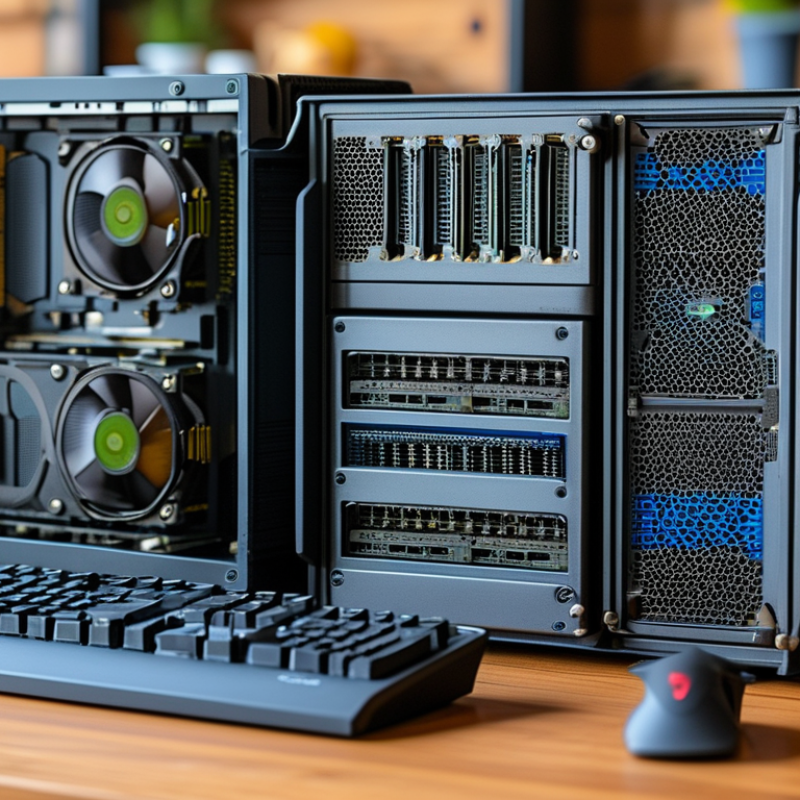
Understanding the Purpose of Server RAM and Desktop RAM
When considering server RAM versus desktop RAM, understanding their distinct purposes is essential. Server RAM is designed for high reliability and performance under heavy loads. It often employs ECC (Error-Correcting Code) technology. According to a report by Gartner, around 70% of server RAM configurations utilize ECC to prevent data corruption, making it ideal for critical applications.
Desktop RAM, on the other hand, focuses on speed and cost-effectiveness. It's optimized for everyday tasks like web browsing and gaming. A study by ITProPortal highlights that average desktop users only require 8GB of RAM. This is far less intense than server requirements, which usually start at 16GB and can go much higher. The differences in design reflect their intended environments. While desktop RAM can offer faster speeds, it lacks the error correction essential for server operations.
It's also worth noting that server RAM typically has stricter performance standards and longevity expectations. Servers often need to run continuously, which can lead to wear. If you're building a personal computer, investing in server RAM might be excessive. However, if you're managing a data center, opting for server RAM is a crucial choice. Balancing performance, reliability, and cost is key in this decision-making process.
Server RAM vs Desktop RAM: Key Characteristics Comparison
Key Differences Between Server RAM and Desktop RAM
When considering RAM for servers versus desktops, key differences emerge that influence performance and reliability. Server RAM typically supports ECC (Error-Correcting Code) technology. This feature helps to detect and correct data corruption, which is crucial for stability in server environments. Reports indicate that using ECC RAM can reduce system crashes by up to 75%. Desktop RAM usually lacks this capability, making it less reliable for critical applications.
In terms of performance, server RAM generally operates at higher speeds and with greater capacity options than desktop RAM. According to industry benchmarks, servers often use modules exceeding 256GB, with some systems supporting up to 4TB. Desktop systems, in contrast, usually have a maximum capacity of 64GB. Utilizing server-grade RAM can enhance data processing abilities, reducing latency in demanding applications. However, the higher cost of server RAM needs careful consideration.
Choosing between server RAM and desktop RAM depends on specific needs. Business environments running databases require the robustness of server RAM. For basic tasks and casual gaming, desktop RAM suffices. Both types offer distinct characteristics suited to their environments. However, the misallocation of RAM types could lead to performance issues. Understanding your requirements is crucial.
When to Choose Server RAM Over Desktop RAM
When considering RAM for servers versus desktops, it’s essential to understand the usage context. Server RAM is designed for high-demand, critical workloads. It tends to have ECC (Error-Correcting Code) capabilities. This feature is vital for data integrity in servers. Desktop RAM may not offer the same reliability under heavy workloads.
Industry data suggests that the demand for server RAM is rising, projected to grow by 9% annually through 2025. This growth reflects the increasing need for robust data management. Servers often run multiple applications simultaneously. This places a higher strain on system resources. If you're running a business that requires uptime, server RAM is a viable choice.
Tips: Always evaluate the workload requirements before making a decision. Consider future scalability for your system. If your applications are memory-intensive, choose server RAM to avoid performance bottlenecks. Compatibility with existing components is crucial too. Validate specifications to ensure seamless integration into your setup.
Performance Considerations for RAM in Servers and Desktops
When choosing between server RAM and desktop RAM, performance is key. Servers often handle intensive tasks, managing multiple requests simultaneously. This requires RAM that can maintain speed under pressure. Server RAM tends to have higher capacity and can be more reliable. It ensures stability when running demanding applications.
Desktop RAM, however, is perfectly fine for everyday tasks. It supports gaming, office work, and casual browsing. Though the speeds may not match those of server RAM, desktops usually operate efficiently with less memory. For many users, the performance gap won't be noticeable. Casual tasks won’t strain standard desktop RAM.
Compatibility matters as well. Desktop motherboards might not support server RAM. Each type has a unique design. Sometimes, features of server RAM can feel excessive for standard users. While it's tempting to opt for what seems superior, reflection on specific needs is crucial. Weigh your workload against RAM specifications. Make an informed choice that fits your usage style.
Cost Analysis: Server RAM vs Desktop RAM
When considering RAM, cost is a significant factor. Server RAM is typically more expensive than desktop RAM. This is due to its advanced features designed for stability and efficiency under heavy loads. Server RAM often includes error-correcting code (ECC) that helps detect and correct data corruption. This reliability is crucial for servers that run critical applications.
On the other hand, desktop RAM favors speed and performance for everyday tasks. It is generally cheaper and offers sufficient performance for most users. For gaming or basic productivity, desktop RAM can handle the demands well without the need for the added features server memory offers. However, these lower costs sometimes reflect a compromise in durability.
Therefore, your choice should depend on your specific needs. Assess your workload. If you're running server applications, investing in server RAM may be justified. For general tasks, desktop RAM can deliver adequate performance at a lower cost. Balancing these considerations will lead to a more informed decision.
Server RAM vs Desktop RAM Cost Analysis
| Dimension |
Server RAM |
Desktop RAM |
| Cost per GB |
$0.70 |
$0.50 |
| Average Speed (MHz) |
2400 |
3200 |
| Maximum Capacity per Stick (GB) |
64 |
32 |
| Latency (CL) |
CL19 |
CL16 |
| Error Correction |
ECC Support |
No ECC |
| Typical Use Case |
Servers and Workstations |
Personal Computing |
| Power Consumption (Watts) |
3-4 |
2-3 |
FAQS
Yes, server RAM is typically more expensive due to advanced features like error-correcting code for stability.
Not always. Desktop motherboards may not support server RAM due to design differences.
It depends on your workload. If you're running demanding applications, server RAM may be necessary.
Yes, desktop RAM can efficiently support gaming and casual browsing without straining.
Assess your specific needs, workloads, and compatibility before making a choice.
For casual tasks, the performance gap may not be noticeable to most users.
Yes, lower costs may mean compromises in durability compared to server RAM.
Weigh your workload against RAM features to ensure it fits your usage style.
Advanced features like ECC help detect and correct data corruption, crucial for serious server tasks.
Conclusion
When considering "Server RAM vs desktop RAM," it is essential to understand their distinct purposes and functionalities. Server RAM is designed for stability and performance in multi-user environments, while desktop RAM caters to individual usage, supporting daily computing tasks. Key differences include memory architecture, error correction capabilities, and scalability.
Choosing server RAM over desktop RAM is ideal for applications requiring high availability and reliability, such as database management and enterprise applications. Performance considerations also play a significant role, as servers typically require faster and more robust memory to handle extensive workloads. Additionally, a thorough cost analysis is necessary, as server RAM may come at a premium, but its long-term benefits can justify the investment, particularly in a business context. Ultimately, the decision hinges on the specific workload and requirements of the user or organization.

 Velmix