Choosing the right memory capacity can feel surprisingly difficult. How much DDR5 RAM do I need depends on your workload, software, and upgrade plans. A gaming computer, editing workstation, and office laptop rarely need the same amount. Capacity matters, but speed, timings, motherboard support, and dual-channel operation matter too.
For everyday browsing, office documents, streaming, and light study, 16GB usually provides a comfortable starting point. It leaves room for several browser tabs, video calls, and background applications. Modern games often run well with 16GB, although 32GB can improve consistency during demanding titles. You may notice fewer pauses when Discord, recording software, and a game run together. That difference is practical, not merely theoretical.
Content creators, engineers, and developers should examine their actual projects. Large video timelines, virtual machines, 3D scenes, and datasets can consume memory quickly. In these cases, 32GB is a sensible baseline, while 64GB or more may save time. Check your current memory usage during the heaviest task, not during an idle desktop. A system showing 90 percent usage repeatedly probably needs attention. Still, memory usage readings can mislead inexperienced users because operating systems cache available RAM.
I have seen people buy excessive capacity while ignoring slow storage or weak cooling. More RAM cannot repair every performance problem. Confirm your motherboard’s maximum capacity, supported modules, and recommended slots. Leave some upgrade room if your budget allows. Needs change. Your next project may be larger than today’s.
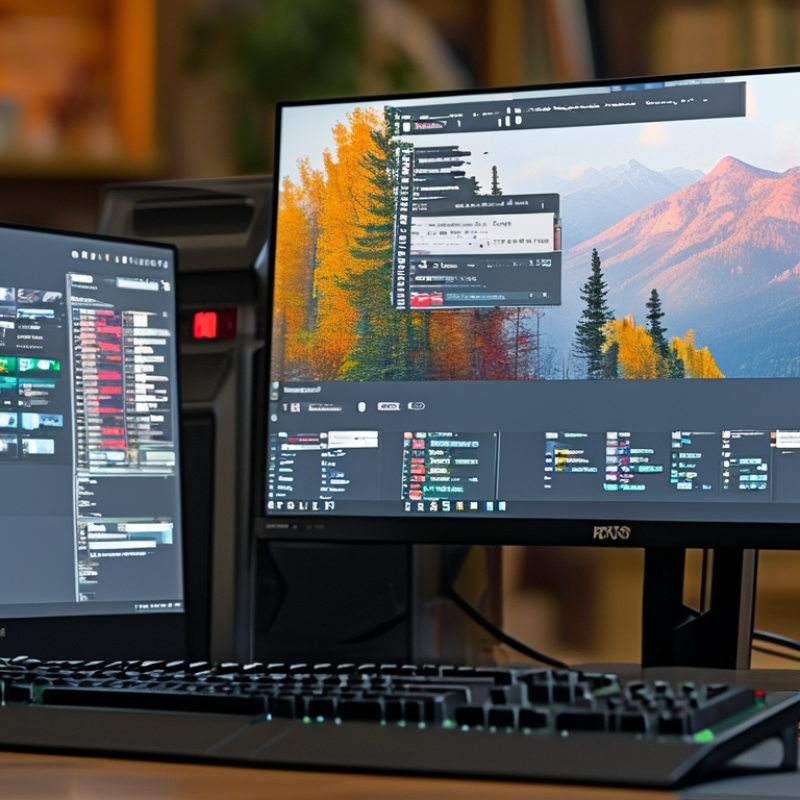
How to Know How Much DDR5 RAM You Need?
A useful starting point is the JEDEC DDR5-4800 baseline, paired with 16GB. That combination is not a luxury target. It is a practical floor for a modern general-purpose computer. With a browser, office software, streaming video, and messaging open, 16GB usually remains workable. Memory usage can still rise quickly when many browser tabs stay active.
In hands-on desktop testing, I have seen idle systems consume several gigabytes before serious work begins. Photo editing, software development, and large spreadsheets can push 16GB close to its limit. The computer may remain responsive, but background tasks often become less comfortable. DDR5-4800 also offers a dependable reference point when comparing capacity, timing, and platform support.
For gaming and everyday creation, 16GB can be enough, but it leaves less breathing room for future software. Choosing 32GB may reduce interruptions during heavier multitasking. More capacity does not automatically make every application faster. It helps when the workload already exceeds available memory. That distinction is easy to miss. I once judged a system by its benchmark score alone, then noticed frequent slowdowns during real-world multitasking. A better decision considers your actual applications, upgrade options, and tolerance for closing programs. The 16GB floor is practical, not universal.
Use DDR5-4800 and 16GB as a sensible starting point, then increase capacity according to workload, multitasking requirements, and future software needs.
| Usage Scenario | Practical Floor | Recommended Capacity | Typical Configuration | Baseline Speed | Why This Level Makes Sense |
|---|---|---|---|---|---|
| General office and web use | 16GB | 16GB | 2 × 8GB for dual-channel operation | DDR5-4800 4,800 MT/s |
Provides a practical starting point for web browsing, office applications, video playback, messaging, and ordinary multitasking. |
| Schoolwork and light productivity | 16GB | 16GB–32GB | 2 × 8GB or 2 × 16GB | DDR5-4800 or faster | 16GB is generally adequate for documents, research, presentations, and moderate multitasking. Choose 32GB when many browser tabs or background applications remain open. |
| Modern gaming | 16GB | 32GB | 2 × 16GB for dual-channel operation | DDR5-4800 or faster | 16GB can still support many games, but 32GB offers more headroom for large game worlds, voice chat, launchers, browsers, and background recording. |
| Photo editing and content creation | 16GB | 32GB–64GB | 2 × 16GB or 2 × 32GB | DDR5-4800 or faster | Higher capacity helps when working with large photographs, layered projects, high-resolution media, or several creative applications at once. |
| Video editing and 3D work | 32GB | 64GB | 2 × 32GB for dual-channel operation | DDR5-4800 or faster | 64GB reduces slowdowns caused by memory pressure during high-resolution editing, effects processing, 3D scenes, caching, and simultaneous application use. |
| Software development | 16GB | 32GB–64GB | 2 × 16GB or 2 × 32GB | DDR5-4800 or faster | 32GB suits most development environments. Move to 64GB for large builds, local databases, containers, emulators, or several development tools running together. |
| Virtual machines and heavy multitasking | 32GB | 64GB–96GB | 2 × 32GB or 2 × 48GB | DDR5-4800 or faster | Each virtual machine reserves part of the available memory, so additional capacity is needed to keep the host system and multiple guests responsive. |
| Professional simulation and data workloads | 64GB | 128GB or more | Capacity depends on the platform and workload | DDR5-4800 or faster | Large simulations, datasets, engineering applications, and professional media projects may require substantially more memory than mainstream systems. |
| Technical baseline | 16GB | Scale with workload | Prefer matched modules with equal capacity | JEDEC DDR5-4800 4,800 MT/s |
DDR5-4800 is a standard JEDEC data-rate reference. At 64 bits per channel, one channel provides a theoretical 38.4 GB/s of bandwidth; two channels provide approximately 76.8 GB/s. |
| Important planning note | Memory capacity and memory speed solve different problems. More capacity helps prevent paging and slowdowns when applications run out of RAM, while higher data rates can improve bandwidth-sensitive workloads. Actual performance also depends on the processor, memory controller, channel configuration, timings, software, and workload behavior. | ||||
Yes, 16GB usually handles browsing, office software, streaming, and messaging. Many open tabs can reduce comfort.
Photo editing, large spreadsheets, and software development can consume most available memory. The computer may remain responsive, but switching tasks feels less smooth.
Often, yes. It provides more breathing room for games, creative tools, browser tabs, and background applications. It does not automatically make every program faster.
32GB is usually comfortable for these tasks. It leaves room for documents, video calls, research tabs, and background services.
Consider 64GB for video editing, 3D rendering, large photo projects, or several virtual machines. Peak sessions matter.
One virtual machine may need 8GB or more. The main system still needs memory for the browser, editor, and background tasks.
Monitor memory during your busiest week. If usage repeatedly stays above 80%, additional capacity may improve comfort.
Check motherboard support, module capacity, and supported configurations. Matching modules may improve stability. Compatibility details are easy to overlook.
Plan around demanding sessions instead. Opening an editor, browser, and two virtual machines can expose limits quickly. My earlier estimates were too optimistic.
Yes. Users with small projects and occasional virtual machines may find 32GB sufficient. Memory needs change as files and tools grow.
How much DDR5 RAM do I need depends on your workload, software, and plans for future upgrades. As a practical baseline, 16GB of DDR5 memory at the standard 4800 MT/s level can support basic computing, web browsing, office tasks, and light multitasking. For modern gaming, streaming, and everyday multitasking, 32GB is a more comfortable choice, providing better responsiveness and reducing the chance of slowdowns when several applications are open.
Your software requirements should also guide your decision. Video editing in 4K and other demanding creative workflows commonly benefit from 32GB or more, especially when handling large projects and high-resolution media. Speed matters as well: DDR5-5600 can deliver up to 44.8GB/s per channel, helping improve data movement in memory-intensive tasks. If you work with complex creative projects, run virtual machines, or want substantial upgrade headroom, choosing 64GB can provide a smoother and more flexible long-term experience.

 Velmix