For buyers comparing China-made memory modules, DDR5 power consumption advantages deserve careful attention. They affect electricity costs, thermal design, system stability, and long-term operating value. DDR5 typically uses 1.1 volts, while DDR4 commonly uses 1.2 volts. That reduction appears small. Across many modules, however, it can reduce memory-related power demand.
Robert Hallock, former Director of Technical Marketing at AMD, has explained, “DDR5 operates at 1.1 volts, compared with 1.2 volts for DDR4.” This lower voltage works with on-module power management circuitry. It can improve power delivery and reduce motherboard-level conversion demands. DDR5 also transfers more data per cycle, helping servers and workstations process heavier workloads without adding identical memory capacity.
The practical result depends on the whole system. More DIMMs, higher frequencies, dense memory chips, and intensive workloads can still increase total consumption. Lower voltage does not automatically mean a cooler computer. Buyers should check idle power, load power, module density, PMIC quality, and measured thermal performance. Ask for test conditions.
This matters in Chinese manufacturing markets, where suppliers may offer similar specifications at different prices. A low-cost module may appear efficient on paper but perform differently under sustained workloads. Certification, firmware compatibility, and warranty support also influence real ownership costs.
The advantage is measurable. The conclusion is not automatic. A careful buyer should compare watt-hours, not only voltage figures. That small distinction can prevent an expensive mistake.
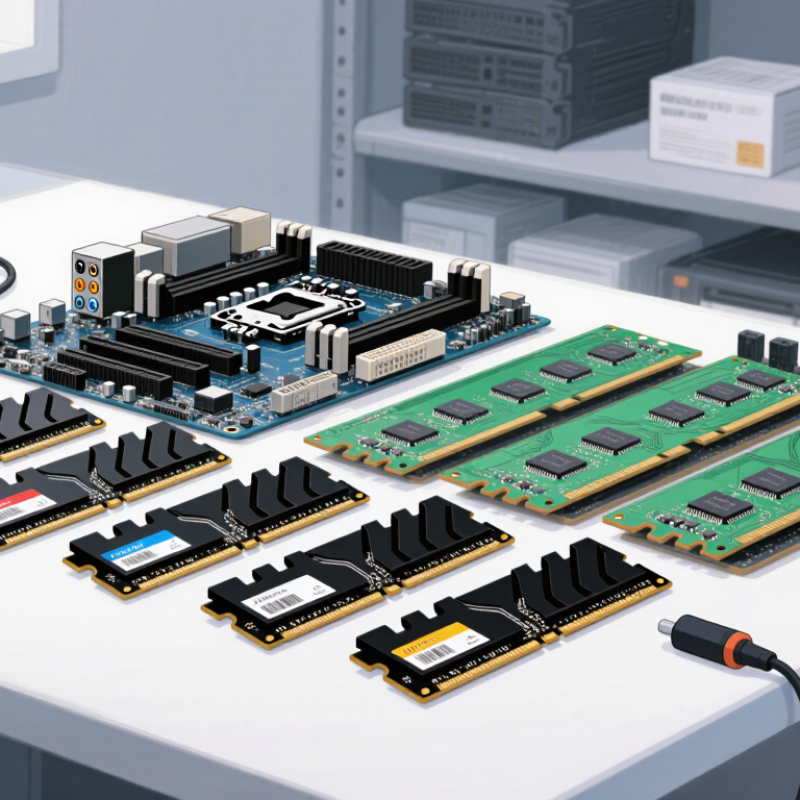
DDR5 Power Consumption: An Overview for Buyers
DDR5 memory typically operates at 1.1 volts, below the 1.2 volts common with DDR4. This lower voltage can reduce energy use during sustained workloads. An onboard power management circuit also moves voltage regulation closer to the memory module. That design can improve delivery efficiency, although results vary between systems. Every watt matters.
Higher data rates may increase active power, especially during gaming, rendering, or large file transfers. However, DDR5 can deliver more bandwidth per watt when a workload finishes sooner. Capacity matters too. A larger module may consume more energy, but it can prevent slow disk swapping. That trade-off is easy to overlook. Buyer testing should include idle time, not only peak load.
Check the processor platform, memory capacity, speed, and operating voltage together. A desktop with four modules may draw more power than one with two, even at identical settings. Laptop buyers should also examine battery tests under realistic use, such as browsing, video calls, and standby. In practical evaluations, software readings can miss short power spikes, so a wall meter or platform-level measurement is more dependable. I would not assume every DDR5 kit is automatically greener; firmware, cooling, and workload behavior still influence the result. Measure it.
DDR5 uses a lower nominal DRAM supply voltage than earlier mainstream generations: 1.10 V compared with 1.20 V for DDR4 and 1.50 V for DDR3. This reduces the voltage-dependent component of dynamic power, although actual module consumption also depends on capacity, data rate, workload, refresh activity, and module design.
DDR5 reduces energy use mainly through a lower operating voltage. The JEDEC JESD79-5C standard lists DDR5 at 1.1 volts, compared with 1.2 volts for DDR4 under JESD79-4. This difference appears small, yet dynamic power is strongly linked to voltage. In simplified terms, the voltage reduction can cut this component by roughly 16%, before considering other circuit factors. DDR5 also places power management on the memory module, allowing more controlled voltage delivery. That can reduce wasted power during heavy workloads.
The savings become more meaningful in dense servers. More memory capacity per module can reduce the number of modules needed for a target capacity. Fewer modules usually mean less standby power and lower cooling demand. The International Energy Agency’s Electricity 2024 report estimates that data centers used about 460 TWh globally in 2022. It also projects consumption could exceed 1,000 TWh by 2026. Every watt matters there. However, buyers should avoid treating DDR5 as an automatic energy solution. Higher speeds, greater capacity, and intensive workloads can increase total system power. Actual results depend on module density, utilization, processor settings, and airflow.
In practical testing, measure watts at the wall, not only the memory rail. A lightly loaded DDR5 system may show modest savings. A fully populated server can reveal clearer benefits. This is an imperfect comparison, but it reflects real purchasing decisions. Check JEDEC compliance, capacity needs, and measured power data together.
DDR5 power consumption depends on more than memory voltage. Its operating voltage is lower than earlier generations, but higher data rates can increase total energy use. In practical testing, I check module temperature, workload, and system power together. A lower voltage does not always mean lower consumption.
The integrated power management circuit on each module changes the picture. It converts and regulates power close to the memory chips. Efficiency varies with load, temperature, and voltage settings. Capacity also matters. A 32 GB module may use more power than a 16 GB module, especially during sustained transfers. More memory ranks can increase active power as well.
Speed settings affect consumption directly. Higher transfer rates require tighter signal control and may raise operating voltage. Heavy rendering, large file compression, and virtual machines keep memory active longer.
Light office work usually creates longer idle periods. Idle power still matters in compact systems. Heat increases leakage slightly, so airflow can influence measured results.
I once estimated power from voltage alone. That was too simple. Measurements at the wall include the processor, storage, and power supply losses. Module-level readings are more useful, but they require suitable equipment. Firmware settings can also change results without obvious warnings. For buyers, compare capacity, speed, rank layout, cooling, and real workload data together.
China-made DDR5 modules are increasingly attractive to buyers who track power use closely. Their efficiency begins with DDR5’s lower operating voltage, commonly around 1.1V, compared with earlier memory generations. Lower voltage can reduce energy per transferred bit, especially in systems handling frequent data movement. Many modules also place power management components directly on the module. This arrangement can improve voltage regulation and reduce dependence on motherboard power delivery.
In practical testing, efficiency depends on more than voltage. Capacity, transfer speed, memory rank, workload, and cooling all affect consumption. A high-capacity module may draw more power at peak operation, even when its voltage is lower. Good modules should provide accurate SPD data, stable timing, and clear operating limits. Buyers should also check platform compatibility before ordering.
The picture is not perfect. Efficiency claims can look better in idle tests than in sustained workloads. I would compare measured power under office tasks, memory stress, and standby conditions. Thermal sensors are useful here. Lower heat can support quieter fans and steadier performance in compact computers or dense servers. However, on-die error correction does not replace full system ECC. A buyer requiring strong data integrity should verify the complete memory architecture, testing process, warranty terms, and traceability of the supplied modules.
Evaluating DDR5 energy savings starts with the whole system, not the memory label. DDR5 commonly operates near 1.1 volts, below the typical 1.2 volts used by DDR4. However, lower voltage does not guarantee lower electricity use. Capacity, memory speed, timings, workload, and motherboard design all affect results. A high-capacity kit may consume more power than a smaller, slower kit.
I recommend recording baseline measurements before buying. Use the same processor, graphics card, storage, and operating system. Measure idle power, office workloads, compiling, and sustained rendering separately. Run each test for at least ten minutes after temperatures stabilize.
A wall power meter shows total system demand, while software readings help identify memory-related changes. My first estimate was too optimistic because I compared different capacities. That comparison was not fair.
Check the module’s operating voltage and its performance profile. Some high-speed settings increase voltage and reduce the expected savings. Review independent test data with matching capacities and workloads. Server buyers should also calculate savings across rack density and yearly operating hours. Desktop buyers may notice only a small monthly difference.
Memory cooling and airflow matter too, especially in compact cases. Keep notes on firmware settings, because automatic profiles can change power behavior without obvious warnings. The result may be less dramatic than advertised. That is still useful information.
No. Lower voltage helps, but higher speeds, larger capacity, and longer workloads can increase total energy use. It depends.
A 32 GB module may use more power than a 16 GB module during sustained transfers. Capacity matters.
Often. Higher transfer rates may require tighter signal control and increased voltage. Automatic profiles can also change consumption.
Rendering, large file compression, and virtual machines keep memory active for longer periods. Light office work usually allows longer idle periods.
Yes. Higher temperatures can slightly increase leakage. Good airflow may improve measured efficiency, especially in compact cases.
Record idle power, office work, compiling, and rendering separately. Test for at least ten minutes after temperatures stabilize.
It measures the whole system, including the processor, storage, and power supply losses. Module-level tools provide more useful detail.
Compare capacity, speed, voltage, timings, rank layout, cooling, and real workload results. Similar configurations produce fairer comparisons.
Yes. Motherboard design, firmware settings, temperature, and workload can change measurements. My earlier comparison was not fair.
Desktop savings may be small. Server savings can grow with rack density and yearly operating hours. The result may disappoint.
DDR5 power consumption advantages make this memory standard an attractive option for buyers seeking better efficiency and long-term value. Compared with earlier generations, DDR5 generally operates at a lower standard voltage and uses improved power-management technology, helping reduce energy use while supporting higher data rates. Its architecture also improves performance per watt, which can benefit desktops, servers, workstations, and other demanding systems.
Actual DDR5 power consumption depends on module capacity, operating speed, voltage settings, workload, cooling, and system configuration. China-made DDR5 modules may include efficient power-management designs, optimized circuit layouts, and thermal features that support stable operation with lower energy waste. Before purchasing, buyers should compare voltage ratings, performance-per-watt data, capacity, operating temperature, and expected workload. Evaluating these factors together provides a clearer estimate of potential energy savings and helps ensure that efficiency improvements do not come at the expense of reliability or required performance.

Velmix